

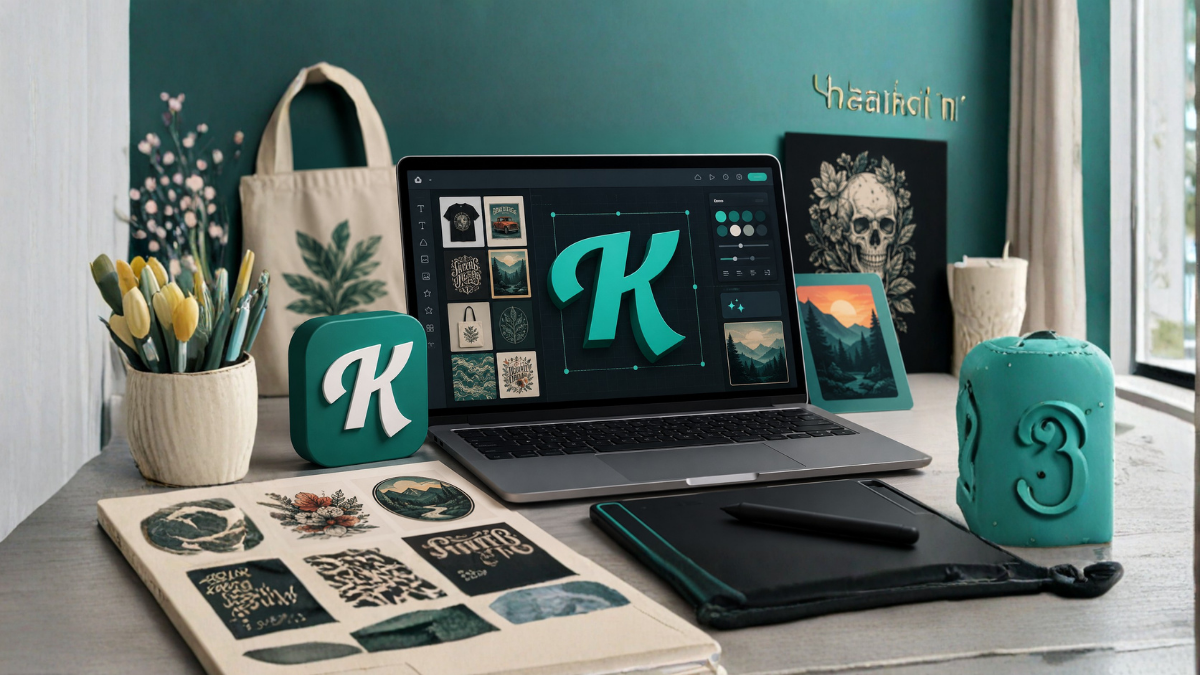
Creating professional-looking designs no longer requires years of experience with complicated design software. Today, creators, marketers, entrepreneurs, bloggers, print-on-demand sellers, and small business owners can use easy design platforms to turn ideas into polished visual content quickly. Among these platforms, Kittl stands out because it combines ready-made templates, powerful editing features, typography tools, and artificial intelligence capabilities in one creative workspace.
Kittl Templates & AI Tools are designed to help modern creators move from an idea to a finished design with less effort. Whether you want to create social media graphics, posters, logos, merchandise, invitations, packaging designs, or marketing materials, templates and AI-powered features can make the creative process faster and more accessible.
In this guide, we will explore how Kittl templates and AI tools can help creators, what features are useful for different projects, and how you can use them to improve your design workflow.
What Is Kittl?
Kittl is an online graphic design platform focused on helping users create professional visual content without requiring advanced design skills. It provides templates, fonts, illustrations, mockups, graphics, and other creative resources that can be customized according to a project’s needs.
Instead of starting every design from a blank canvas, users can select an existing template and modify its text, colors, graphics, layout, and other elements. This approach can save significant time, especially when creating multiple designs for social media, advertising, branding, or online stores.
Kittl also incorporates AI-powered tools that can help users generate creative assets and explore ideas. This combination of templates and artificial intelligence makes the platform particularly useful for creators who need to produce visual content regularly.
Why Templates Matter for Modern Creators
Starting a design from scratch can be one of the most time-consuming parts of the creative process. Even when you know what you want to create, choosing the right layout, font combination, spacing, colors, and visual elements can take considerable time.
Templates provide a starting point.
A well-designed template already contains a basic visual structure. You can replace the existing content with your own information and then customize the design to match your brand or project.
For example, a creator making an Instagram post might choose a social media template, replace the sample headline, add a logo, change the colors, and export the finished design.
The same concept works for posters, business cards, product designs, invitations, advertisements, presentations, and many other creative projects.
Templates can also help beginners understand design principles. By examining how professional layouts use typography, spacing, hierarchy, and alignment, new creators can gradually develop better design skills.
Kittl Templates for Social Media Content
Social media creators need fresh visual content frequently. Creating every post from scratch can become repetitive and inefficient.
Kittl templates can provide a practical solution.
Creators can use templates as starting points for social media posts, promotional graphics, quotes, announcements, event promotions, and other content. Once a preferred design style has been established, similar layouts can be customized for future posts.
This is especially useful for businesses that need consistent branding across multiple social platforms.
For example, a business could create a branded template using its preferred colors, fonts, logo, and visual style. The text and images can then be changed whenever a new promotion or announcement needs to be published.
This creates consistency while reducing design time.
Kittl Templates for Print-on-Demand
Print-on-demand is another area where Kittl can be useful. Sellers often need attractive artwork for products such as T-shirts, hoodies, mugs, posters, stickers, and other merchandise.
Instead of creating every product design manually, creators can use templates and design elements as inspiration and customize them for their own concepts.
Typography-based merchandise is particularly suitable for this workflow. A creator can experiment with different fonts, text arrangements, decorative elements, and illustrations to develop unique product concepts.
However, creators should always check the licensing terms associated with templates, fonts, graphics, and other assets before using them commercially.
AI Tools for Faster Idea Generation
One of the biggest advantages of AI in modern design platforms is its ability to help with the early stages of creativity.
Sometimes the biggest challenge is not editing a design but deciding what to create.
AI tools can help creators explore concepts, generate visual ideas, and experiment with different directions. This can be particularly helpful when a person has a general concept but does not yet have a clear visual representation.
For example, a creator might start with an idea for a vintage travel poster. AI-powered tools can help explore possible visual directions, while Kittl’s editing features can then be used to refine the result.
AI does not necessarily replace the creator. Instead, it can act as a creative assistant that helps accelerate experimentation.
AI Image Generation
AI image generation is becoming increasingly important for digital creators.
Traditional stock photography can sometimes feel repetitive, while finding exactly the right image can take time. AI image generation provides another option by allowing creators to describe the visual they want and generate artwork based on that description.
A creator might request a particular subject, artistic style, atmosphere, composition, or theme.
The generated image can then become part of a larger design.
For example, a travel blogger could create a destination-themed graphic using an AI-generated illustration and combine it with custom typography, branding, and other design elements.
The quality of an AI-generated image depends heavily on the instructions provided. Clear descriptions generally make it easier to achieve a useful result.
AI-Assisted Typography and Text Effects
Typography plays a major role in visual communication. The right font can change the entire personality of a design.
A bold typeface may communicate strength and energy, while an elegant script can create a more luxurious or artistic feeling.
Kittl is particularly useful for creators who work heavily with typography. Its design environment allows users to experiment with fonts, text layouts, effects, and other visual treatments.
AI can also assist with creative exploration by helping users develop concepts around text-based designs.
This can be useful for merchandise, posters, social media graphics, quotes, logos, and promotional materials.
Creating Logos and Brand Assets
Branding requires consistency.
A business may need a logo, social media graphics, promotional banners, packaging, business cards, and other visual materials. Creating each item independently can lead to inconsistent colors, fonts, and layouts.
Templates can help establish a visual foundation.
Creators can begin with a suitable design concept and customize it according to the brand’s identity. AI tools may also help with brainstorming ideas before the final design is developed.
However, a business should carefully review AI-generated or template-based logo concepts before adopting them as a permanent brand identity. A logo should be distinctive, appropriate for the business, and suitable for use across different sizes and platforms.
Kittl for Posters and Marketing Materials
Posters remain useful for events, businesses, promotions, educational campaigns, and local advertising.
The challenge is making important information immediately noticeable.
A good poster needs a clear visual hierarchy. The main message should attract attention first, while supporting information should remain easy to read.
Templates can provide an effective starting structure. Users can then replace the sample information with their own content.
AI-generated graphics can add another creative dimension when suitable imagery is not readily available.
For marketing materials, creators should avoid overcrowding the design. Too many fonts, colors, graphics, or long paragraphs can make the message difficult to understand.
Kittl for YouTube and Content Creators
YouTube creators need visual assets for thumbnails, channel branding, promotional posts, banners, and sometimes merchandise.
A consistent visual style can help audiences recognize a creator’s content.
Templates can speed up thumbnail and promotional graphic creation. Instead of designing each graphic from the beginning, creators can maintain a recognizable structure while changing the headline and imagery.
AI tools can also help with brainstorming visual concepts.
For example, a creator producing a video about artificial intelligence might explore several visual concepts before selecting the strongest direction for the thumbnail.
The important thing is to use AI as part of the creative process rather than relying entirely on automatically generated designs.
Using Kittl to Build a Faster Workflow
The biggest benefit of templates and AI tools is not simply having more features. It is the ability to create a repeatable workflow.
A practical workflow could look like this:
First, define the purpose of the design.
Next, choose a suitable template or start with a blank project.
Then, develop the main visual concept. AI tools can be useful at this stage when you need ideas or visual assets.
After that, customize typography, colors, images, graphics, and layout.
Finally, review the design carefully before exporting it.
This process can significantly reduce unnecessary experimentation.
Tips for Getting Better Results from AI Tools
AI tools are most useful when the creator provides clear direction.
Instead of using a very general instruction, describe the subject, visual style, mood, composition, colors, and intended use.
For example, instead of simply requesting “a coffee shop image,” a more specific concept could describe a cozy modern coffee shop, warm lighting, wooden interiors, editorial photography style, and a clean composition suitable for a promotional poster.
Creators should also experiment.
The first AI-generated result may not be the best one. Generating several concepts and selecting the strongest result can produce better outcomes.
After generation, manual editing is still important. Adjusting the composition, typography, spacing, and branding can transform an ordinary result into a polished design.
Templates vs. Designing From Scratch
Templates are not always the best choice.
If you are creating a highly unique brand identity or an original illustration, starting from a blank canvas may provide greater creative freedom.
Templates are particularly useful when speed and consistency are priorities.
Designing from scratch can be better when the project has very specific requirements that do not fit an existing layout.
A balanced approach is often the most effective. Use templates for structure and inspiration, then customize them extensively to create something that fits your specific project.
Benefits of Kittl for Beginners
Beginners often struggle with the technical side of graphic design.
Professional design software can contain dozens of tools and settings, which can feel overwhelming.
A template-based workflow reduces this learning curve.
New users can begin with an existing layout and learn by modifying individual elements. Over time, they can become more comfortable with typography, composition, colors, alignment, and other design principles.
AI tools can also make experimentation less intimidating because users can explore concepts without having to manually create every visual element.
Benefits for Professional Creators
Experienced designers can also benefit from templates and AI.
For professionals, the main advantage may be speed rather than simplicity.
A designer working on multiple campaigns may use templates to accelerate repetitive tasks while focusing more time on creative direction and customization.
AI can similarly support brainstorming and asset development.
This can be particularly valuable when deadlines are tight and multiple design variations are required.
Things to Consider Before Using Templates or AI Assets
Creators should pay attention to licensing and usage rights.
Not every asset available through a design platform can necessarily be used in every commercial situation. Before selling products, publishing branded materials, or using assets for client work, review the applicable licensing terms.
Creators should also avoid assuming that AI-generated content is automatically suitable for trademark registration, exclusive ownership, or commercial use.
If a design is intended to become a major brand asset, additional legal and originality checks may be appropriate.
How Kittl Can Support a Modern Creative Business
For freelancers, entrepreneurs, content creators, and small businesses, design is often part of everyday work.
A single business may need social media graphics in the morning, an advertisement in the afternoon, a promotional poster later, and product artwork the next day.
A platform combining templates, editing tools, typography resources, and AI features can help manage this workload more efficiently.
The key is to build a repeatable system.
Save preferred layouts, establish brand guidelines, maintain consistent fonts and colors, and create reusable design structures. Then use AI selectively when it adds value.
Final Thoughts
Kittl Templates & AI Tools offer modern creators a practical way to combine speed, creativity, and customization.
Templates can eliminate the difficulty of starting from a blank canvas, while AI tools can help generate ideas and visual assets. Together, these capabilities can support a wide range of projects, from social media content and posters to merchandise, branding, and marketing materials.
The best results still come from human creativity. AI and templates are tools, not replacements for good design judgment.
Creators who understand how to customize templates, develop strong visual concepts, maintain brand consistency, and use AI intelligently can build a faster and more productive design workflow.
Whether you are a beginner creating your first social media graphic or an experienced designer managing multiple projects, Kittl can provide useful tools for turning creative ideas into polished visual content.
Frequently Asked Questions
1. What is Kittl used for?
Kittl is an online design platform used to create graphics such as social media posts, posters, logos, merchandise designs, marketing materials, invitations, and other visual content.
2. Are Kittl templates suitable for beginners?
Yes. Templates can be particularly useful for beginners because they provide a ready-made design structure. Users can customize text, colors, images, fonts, and other elements without starting from scratch.
3. Can Kittl be used for print-on-demand designs?
Kittl can be useful for creating artwork for print-on-demand products. However, users should review the applicable licensing and commercial-use terms for the specific templates, fonts, graphics, and other assets they use.
4. Does Kittl have AI tools?
Yes. Kittl incorporates AI-powered creative features that can help users generate visual concepts and assets and speed up parts of the design process.
5. Can Kittl AI create images?
Kittl provides AI-powered image-generation capabilities that can help creators develop visual assets from descriptive instructions. The available features and usage limits may vary depending on the user’s plan and current platform offerings.
6. Can I customize Kittl templates?
Yes. Templates can generally be customized by changing elements such as text, fonts, colors, graphics, images, and layouts.
7. Is Kittl useful for social media creators?
Yes. Social media creators can use design templates and creative tools to produce posts, promotional graphics, announcements, thumbnails, and other visual content more efficiently.
8. Can Kittl help with logo design?
Kittl can be used to explore and create logo concepts. However, businesses should carefully check originality, licensing, and trademark considerations before using a design as an official brand logo.
9. Can professional designers use Kittl?
Yes. Professional designers can use templates and AI tools to speed up brainstorming and repetitive design tasks while maintaining creative control through customization.
10. Can Kittl designs be used commercially?
Commercial use depends on the specific assets, plan, and licensing terms involved. Users should always review Kittl’s current licensing conditions before using designs for commercial products or client projects.
11. Are AI-generated designs ready to publish immediately?
Not always. AI-generated content may require editing and quality checks. Creators should review typography, composition, accuracy, originality, and brand suitability before publishing or selling the final design.
12. What makes Kittl useful for modern creators?
The combination of templates, typography tools, design resources, editing capabilities, and AI-powered features can help creators move from an idea to a finished design more quickly while still allowing substantial customization.
