

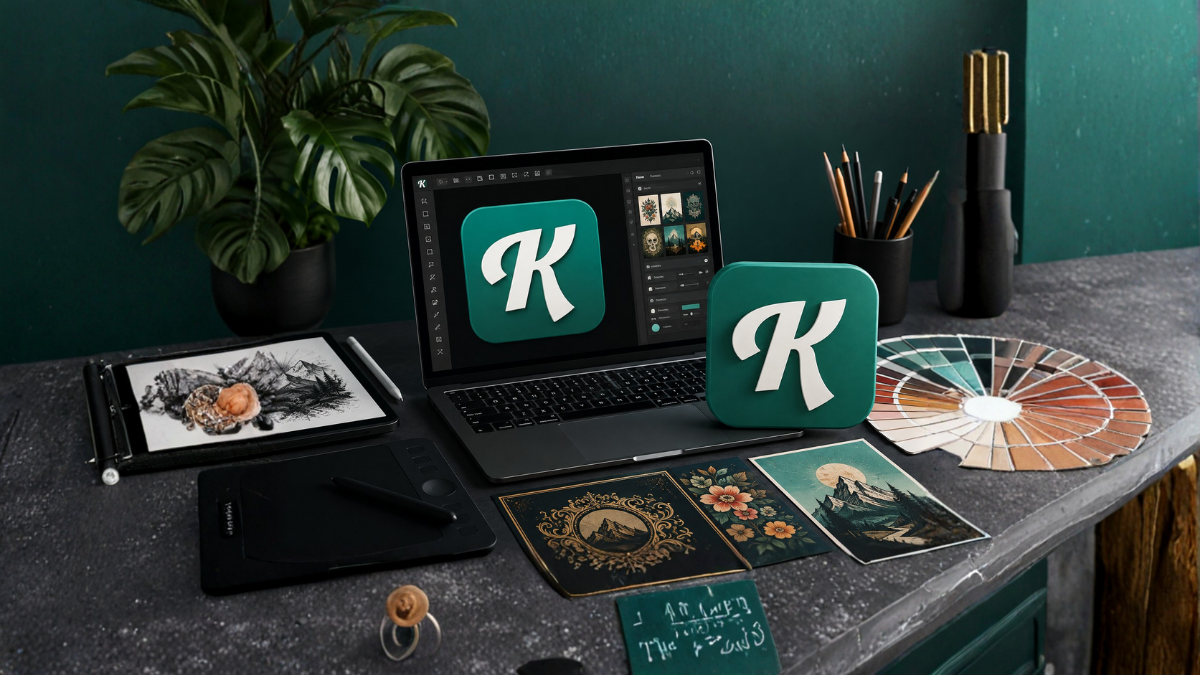
In the modern digital world, visual content plays an important role in branding, marketing, social media, e-commerce, and content creation. Whether you are a professional designer, small business owner, freelancer, YouTuber, blogger, or someone who simply wants to create attractive graphics, having an easy-to-use design platform can save time and effort.
Kittl is a graphic design platform built for creators who want to produce professional-looking designs without needing advanced graphic design skills. It combines templates, typography, illustrations, image tools, mockups, and artificial intelligence features in one online workspace.
In this article, we will explore what Kittl is, its major features, how creators can use it, its benefits, and why it has become a useful option for modern graphic design.
What Is Kittl?
Kittl is an online graphic design platform that helps users create visual content using ready-made templates, design elements, fonts, illustrations, and editing tools. The platform is designed to make professional design more accessible, even for people who do not have years of experience with traditional design software.
Instead of starting every project from a blank canvas, users can select a template and customize it according to their requirements. They can change text, colors, images, layouts, illustrations, and other elements.
Kittl can be used for a wide range of projects, including social media graphics, posters, logos, merchandise designs, invitations, advertisements, presentations, product designs, and more.
Why Kittl Is Useful for Creators
Creators often need to produce visual content quickly. A social media manager may need several posts every week, while an online store owner may need product graphics, promotional banners, and merchandise designs.
Traditional graphic design software can be powerful, but it may require considerable time to learn. Kittl focuses on providing a simpler workflow while still offering tools that can help users create polished designs.
One of its biggest advantages is the combination of templates and customization. A creator can start with an existing design and modify it instead of building everything from scratch.
This approach can reduce design time and make it easier to maintain a consistent visual style.
Main Features of Kittl
1. Ready-Made Design Templates
Templates are one of the most useful features for people who want to create designs quickly.
Kittl provides templates for different types of projects and industries. Users can choose a suitable template and customize it rather than beginning with an empty canvas.
Templates can be useful for:
- Social media posts
- Posters
- Flyers
- Business graphics
- Merchandise
- Invitations
- Logos
- Marketing materials
- Product advertisements
- Promotional designs
A template is not necessarily the final design. It can serve as a starting point that users can modify to match their own brand or creative idea.
2. Typography and Font Tools
Typography can dramatically change the appearance of a design. Kittl places significant emphasis on text-based design, making it useful for creators who work with quotes, slogans, merchandise, posters, and branding.
Users can experiment with different fonts, text arrangements, sizes, spacing, and styles.
Good typography can make a simple design look professional while poor typography can make even a high-quality graphic appear unbalanced.
Kittl’s typography-focused tools can therefore be especially useful for creators who frequently design text-heavy graphics.
3. AI-Powered Design Features
Artificial intelligence has become an important part of modern creative software, and Kittl includes AI-based features designed to help users generate and modify creative content.
AI tools can help creators explore ideas faster and experiment with different visual concepts.
For example, a creator may have an idea for a particular illustration but not the technical skills required to create it manually. AI-assisted tools can provide a starting point that can then be incorporated into a larger design.
AI should be viewed as a creative assistant rather than a complete replacement for human creativity. The best results often come from combining AI-generated ideas with thoughtful editing and design decisions.
4. Illustration and Graphic Elements
A design becomes more interesting when it includes appropriate visual elements. Kittl provides various illustrations, graphics, shapes, icons, and decorative elements that can be incorporated into projects.
Creators can combine these elements with text and images to create designs for different purposes.
For example, a clothing designer might combine typography with illustrations to create a merchandise graphic, while a social media creator might use decorative elements to make an announcement post more attractive.
5. Image Editing
Images are an important part of digital design, and Kittl provides tools that allow creators to work with images inside their designs.
Depending on the project, users can adjust images, combine them with typography, remove or modify backgrounds, and integrate them into templates.
Having several design functions available in the same platform can reduce the need to move repeatedly between different applications.
6. Mockup Creation
Mockups are particularly useful for creators who sell physical or digital products.
A mockup allows a designer to visualize how a design might look on a real-world product or presentation.
For example, a creator designing a T-shirt graphic can use a mockup to show the artwork on clothing. Similarly, a business owner can present branding or packaging concepts in a more realistic way.
Mockups can also make online product listings and promotional materials more visually appealing.
7. Merchandise Design
Kittl can be particularly useful for print-on-demand creators and merchandise designers.
Creators can develop graphics for products such as:
- T-shirts
- Hoodies
- Posters
- Mugs
- Tote bags
- Stickers
- Other printable products
Typography-based merchandise is especially suitable for a platform that provides strong text and layout tools.
A creator can experiment with different phrases, fonts, illustrations, and compositions before preparing a final design.
Who Can Use Kittl?
One of the strengths of Kittl is its broad audience.
Beginners
People who have never used professional design software can use templates and simple editing tools to start creating graphics.
Freelance Designers
Freelancers can use Kittl to develop concepts, social media graphics, promotional materials, and other client projects.
Small Business Owners
Small businesses often need marketing materials but may not have a dedicated designer. A platform like Kittl can help business owners create basic promotional content themselves.
Social Media Creators
Instagram, Pinterest, YouTube, Facebook, and other social platforms rely heavily on visual content. Creators can use design templates to produce consistent graphics for their channels.
Print-on-Demand Sellers
Merchandise sellers can use typography, illustrations, templates, and mockups to develop product designs.
Bloggers and Content Creators
Bloggers can create featured images, social media graphics, promotional banners, and other visual assets.
How to Create a Design With Kittl
Getting started with Kittl is relatively straightforward.
First, create an account and open the design workspace. You can then choose a template or start a project from a blank canvas.
Next, determine the purpose of the design. Knowing whether you are creating a social media post, poster, product graphic, or advertisement will help you select an appropriate layout.
After choosing a template, customize the text and visual elements. Replace the default wording with your own content and adjust the typography to suit your brand.
You can then add images, illustrations, shapes, or other elements.
The next step is to review the overall composition. Check whether the text is readable, the elements are properly aligned, and the design is not unnecessarily crowded.
Finally, export the finished design in a suitable format for your intended use.
Kittl for Social Media Design
Social media creators need to publish content regularly, and creating every graphic from scratch can take a lot of time.
Kittl can help simplify this process by providing templates and reusable design elements.
For example, a creator can develop a visual style using particular fonts, colors, and layouts. Similar elements can then be used across multiple posts.
This consistency can make a social media profile look more professional and recognizable.
Kittl can also be useful for creating promotional posts, quote graphics, event announcements, thumbnails, and campaign visuals.
Kittl for Branding
Branding involves much more than simply creating a logo. Businesses need consistent visual elements across websites, social media, advertisements, packaging, and other communication channels.
Kittl can help creators experiment with logos, typography, color combinations, and other visual components.
A small business can develop a basic visual identity and use similar design elements across its marketing materials.
However, businesses with complex branding requirements may still benefit from working with a professional brand designer.
Kittl for Print-on-Demand Businesses
Print-on-demand has become a popular business model for independent creators. Instead of keeping large amounts of inventory, sellers can create designs that are printed on products when customers place orders.
The quality of the artwork is extremely important in this business.
Kittl’s typography, illustration, design templates, and mockup capabilities can help creators develop product concepts and visualize how designs may appear on merchandise.
Creators can test different layouts and styles before publishing products.
It is important to understand the licensing terms and commercial-use rules that apply to specific assets and plan types before selling designs.
Benefits of Using Kittl
Easy Learning Curve
Kittl is designed to make graphic design more approachable. Beginners can start with templates and gradually learn more advanced design techniques.
Faster Design Workflow
Templates and ready-to-use elements can significantly reduce the amount of time required to create common designs.
Multiple Tools in One Platform
Having typography, templates, illustrations, image tools, AI features, and mockups in one environment can make the workflow more convenient.
Suitable for Different Projects
The platform can be used for social media graphics, branding, marketing materials, merchandise, posters, and other creative projects.
Useful for Non-Designers
Business owners and creators without formal design training can use templates and editing tools to produce attractive visual content.
Things to Consider Before Using Kittl
Although Kittl can be useful, it is important to consider your specific requirements before choosing any design platform.
Some advanced features may depend on the subscription plan. Users should check the current pricing, export options, available assets, AI features, and licensing conditions before starting commercial projects.
Creators should also avoid relying entirely on templates. A design that looks good for one project may not be appropriate for another. Customization is important for creating a distinctive visual identity.
Most importantly, users should understand the licensing terms for templates, graphics, fonts, AI-generated content, and other assets before using them commercially.
Kittl vs Traditional Graphic Design Software
Traditional graphic design applications can offer extremely detailed control and advanced professional capabilities. They can be ideal for experienced designers working on complex projects.
Kittl takes a different approach by focusing on accessibility, templates, typography, and a streamlined online workflow.
For a beginner who wants to quickly create a social media graphic or merchandise design, a template-based platform can be easier to approach.
For complex professional projects requiring highly detailed control, specialized design software may still be preferable.
Therefore, the best choice depends on the user’s skill level, project requirements, budget, and preferred workflow.
Tips for Creating Better Designs With Kittl
Keep the Design Simple
Avoid adding too many fonts, colors, and decorative elements. A simple design is often easier to understand.
Focus on Typography
Choose fonts that match the purpose of the design. A playful font may work for a children’s product but may not be appropriate for a corporate presentation.
Maintain Visual Hierarchy
Important information should be easy to notice. Use size, spacing, positioning, and contrast to guide the viewer’s attention.
Use Consistent Branding
If you are creating content for a business, maintain consistent colors, fonts, and visual styles across your designs.
Do Not Overuse Templates
Templates are excellent starting points, but customizing them can make your designs more unique.
Check the Final Design Carefully
Before exporting, check spelling, alignment, image quality, spacing, and readability.
Is Kittl Good for Beginners?
Yes, Kittl can be a good option for beginners who want to learn graphic design while creating useful projects.
Templates make it easier to understand basic design principles because users can examine how professional layouts are structured.
As beginners become more comfortable, they can start changing layouts, experimenting with typography, creating custom compositions, and developing their own visual style.
This makes the platform useful not only as a design tool but also as a practical way to learn visual communication.
Is Kittl Worth Using?
For creators who frequently need visual content, Kittl can be a useful addition to their creative workflow.
Its combination of templates, typography, graphics, AI-assisted features, image tools, and mockups makes it suitable for a variety of projects.
However, whether it is worth paying for depends on how frequently you use it and which features you need. Occasional users may find a free option sufficient, while professional creators may benefit more from premium features.
Before choosing a plan, compare the current features, export capabilities, asset licensing, and usage limits with your own requirements.
Final Thoughts
Kittl is a versatile graphic design platform aimed at creators who want to produce attractive visual content without dealing with an unnecessarily complicated workflow.
From social media graphics and branding to merchandise and marketing materials, the platform provides a variety of tools that can help creators turn ideas into finished designs.
Its template-based workflow can be especially helpful for beginners, while typography, illustrations, AI-assisted tools, image editing, and mockups provide additional creative possibilities for more experienced users.
Ultimately, the quality of the final design depends not only on the platform but also on the creator’s understanding of composition, typography, branding, and visual communication. When these skills are combined with the right tools, Kittl can become a valuable part of a creator’s design workflow.
Frequently Asked Questions
1. What is Kittl?
Kittl is an online graphic design platform that helps users create designs using templates, typography, illustrations, images, AI-assisted features, and other creative tools.
2. Is Kittl suitable for beginners?
Yes. Kittl is designed to be accessible to beginners, and its templates can help new users create designs without extensive graphic design experience.
3. What can I create with Kittl?
You can create social media graphics, posters, logos, marketing materials, merchandise designs, invitations, promotional graphics, and many other types of visual content.
4. Does Kittl use artificial intelligence?
Yes. Kittl offers AI-powered creative features that can help users generate and explore visual ideas more quickly.
5. Can Kittl be used for merchandise designs?
Yes. Kittl can be useful for creating graphics for merchandise such as T-shirts, hoodies, posters, mugs, and other products.
6. Is Kittl useful for social media?
Yes. Creators can use Kittl to make social media posts, promotional graphics, quote designs, announcements, and other visual content.
7. Can small businesses use Kittl?
Yes. Small businesses can use Kittl to create marketing graphics, promotional materials, social media content, and basic branding assets.
8. Does Kittl provide design templates?
Yes. Templates are an important part of the platform and can help users start projects quickly.
9. Can I customize Kittl templates?
Yes. Templates can generally be customized by changing text, images, colors, layouts, and other available design elements.
10. Is Kittl better than traditional design software?
It depends on the project. Kittl can be easier and faster for template-based projects, while traditional professional design software may provide more detailed control for complex projects.
11. Can Kittl help with print-on-demand?
Yes. Its typography, graphics, templates, and mockups can be useful for creators developing print-on-demand products.
12. Should I check Kittl’s licensing rules before selling designs?
Yes. If you plan to use Kittl assets commercially, always review the current licensing and commercial-use terms associated with your account, plan, and specific assets before selling the final design.
