

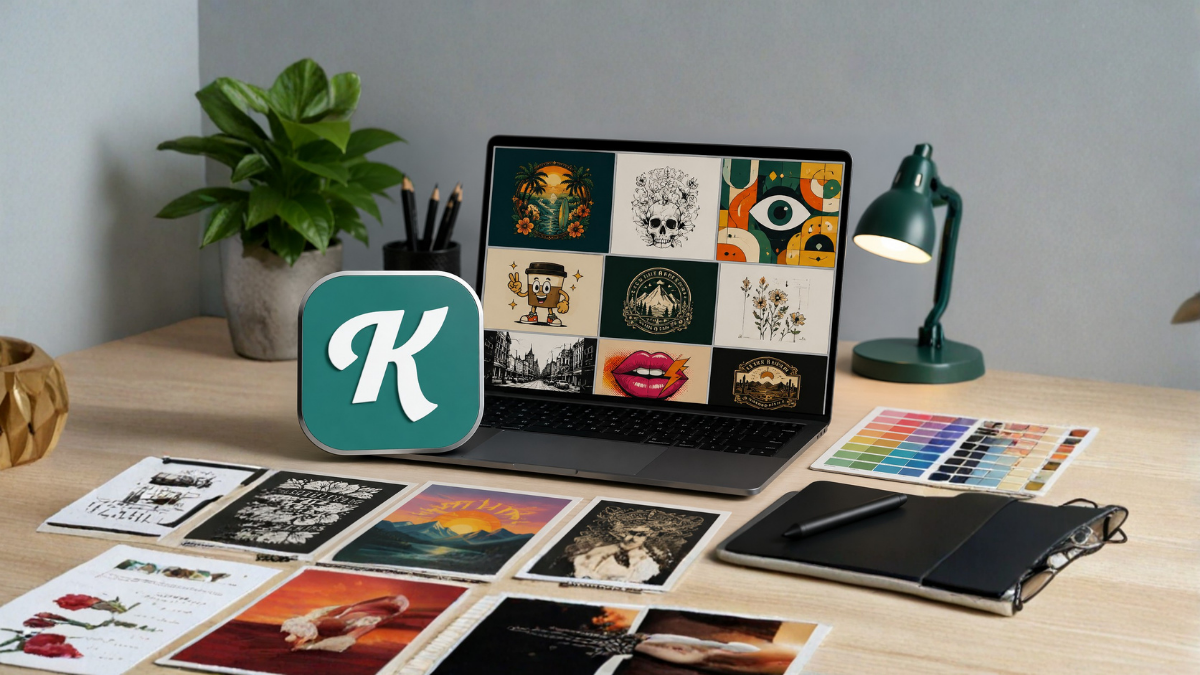
Creative design has become an important part of modern marketing, branding, content creation, social media, and online business. Whether you are a professional designer, small business owner, content creator, blogger, or beginner, creating attractive graphics can take a significant amount of time. This is where AI-powered design tools and ready-made templates can make the process much easier.
Kittl AI Templates offer a practical way to create professional-looking designs without starting every project from a blank canvas. With templates, users can quickly select a suitable design, customize its text and visual elements, and adapt it to their specific project.
In this guide, we will explore how Kittl AI Templates can help with creative design projects, what types of designs you can create, how AI can improve the design process, and how beginners can get better results from templates.
What Are Kittl AI Templates?
Kittl AI Templates are pre-designed creative layouts that can be customized for different design requirements. Instead of manually arranging every element, users can begin with an existing template and modify it according to their needs.
Templates can provide a starting point for projects such as social media graphics, posters, logos, product designs, advertisements, invitations, presentations, merchandise designs, and other visual content.
The main advantage is that you do not need to spend a large amount of time deciding where every element should be placed. The template already provides a visual structure, allowing you to focus more on your message, branding, and creative direction.
When AI features are combined with templates, the design process can become even more flexible. AI can help users generate ideas, create visual concepts, experiment with styles, and develop content that fits a particular design objective.
Why Use Kittl AI Templates for Creative Projects?
Creating a professional design from scratch requires several skills. You need to understand typography, spacing, colors, composition, hierarchy, and visual balance. Templates reduce some of this complexity by giving you a structured starting point.
Here are some of the major reasons designers and beginners can benefit from templates.
1. Faster Design Creation
One of the biggest benefits of using templates is speed. Instead of spending hours creating a layout from the beginning, you can select a suitable template and start customizing it immediately.
This can be especially useful for businesses and content creators who need to produce graphics regularly.
For example, a social media manager may need several promotional posts every week. Starting with appropriate templates can significantly reduce repetitive design work.
2. Helpful for Beginners
Not everyone has professional graphic design experience. Beginners may struggle with choosing fonts, arranging objects, or creating a balanced composition.
Templates provide a visual example that beginners can study and modify. By experimenting with different templates, new users can gradually understand how professional designs are structured.
3. Professional-Looking Results
A good template can provide a polished visual foundation. Typography, alignment, spacing, and design elements are generally arranged to create a coherent composition.
However, customization is still important. Simply changing a few words may not always produce the best result. Adding your brand colors, images, fonts, and other relevant elements can make the design more original and appropriate for your project.
4. More Creative Possibilities
Templates should not necessarily be treated as finished designs. They can also be used as sources of inspiration.
You can take an existing layout and transform it into something completely different by changing its typography, colors, illustrations, images, and composition.
This makes templates useful when you have an idea but are not sure how to turn it into a visual design.
Types of Creative Projects You Can Create
Kittl AI Templates can be useful for a wide range of creative projects. The best template depends on your objective, audience, and platform.
Social Media Graphics
Social media platforms require visually attractive content to capture attention. Templates can help create posts, promotional graphics, announcements, quotes, event promotions, and other social media visuals.
You can customize the headline, supporting text, images, and branding elements to match your social media strategy.
For platforms with different image dimensions, it is also important to choose or adapt the layout to the correct format.
Posters
Posters remain useful for events, promotions, businesses, educational campaigns, and community activities.
A poster template can help establish a strong visual hierarchy. You can place the most important information prominently while keeping secondary information easier to read.
When creating posters, avoid adding too much text. A clear headline and concise information are generally more effective than a crowded layout.
Logos and Brand Concepts
Brand identity is another area where design templates and AI-assisted tools can provide inspiration.
A template can help you explore different visual directions, typography styles, symbols, and compositions. However, businesses should make sure the final logo is distinctive and suitable for their long-term branding needs.
If a logo is intended to become a registered trademark, originality and legal considerations should be taken seriously.
T-Shirt and Merchandise Designs
Creative merchandise is another popular application for design templates.
You can create typography-based designs, illustrations, slogans, decorative graphics, and themed artwork for products such as T-shirts, hoodies, mugs, posters, and other merchandise.
Before selling a design commercially, always check the applicable licensing terms for the assets, fonts, illustrations, and other elements you use.
Marketing Materials
Businesses need graphics for advertisements, promotional campaigns, product announcements, sales events, and special offers.
Templates can make it easier to maintain a consistent visual style across different marketing materials.
For example, you can develop a basic brand style using specific colors and fonts and then apply that style across promotional designs.
Invitations and Event Graphics
Templates can also be useful for birthdays, weddings, business events, workshops, webinars, celebrations, and other occasions.
An event design should clearly communicate the essential information, including the event name, date, time, location, and relevant contact details.
A visually attractive design is helpful, but readability should always remain a priority.
How AI Can Improve the Design Workflow
AI can change the way people approach creative projects. Instead of relying exclusively on manual design processes, users can combine human creativity with AI-assisted tools.
For example, you might start with an idea such as “modern coffee shop poster with a premium and minimal appearance.” AI-assisted design features can help explore visual directions based on that concept.
The designer can then select an appropriate result and refine it manually.
This approach is important because AI does not have to replace the designer. Instead, it can act as a creative assistant that helps generate possibilities more quickly.
How to Choose the Right Template
Choosing the right template is one of the most important steps.
Start by identifying the purpose of your design. Ask yourself:
- Who will see the design?
- What information must be included?
- Where will the design be published?
- What action should the audience take?
- What visual style matches the brand?
- What size or format is required?
Once these questions are clear, look for a template that already matches the basic structure you need.
For example, a promotional advertisement should have a strong area for the main offer and a clear call to action. A quote graphic may require a different typography-focused layout.
Choosing a template based only on appearance can sometimes create problems later. A beautiful template may not have the right structure for your content.
Customize Templates Instead of Using Them as They Are
One common mistake is treating a template as a finished product.
Templates work best when customized.
Start by replacing the sample text with your own content. Then adjust the colors, typography, images, icons, and other elements according to your project.
You should also remove unnecessary elements. If a template contains decorative objects that do not support your message, removing them can make the final design cleaner.
The goal is to use the template as a foundation rather than simply copying it.
Use Typography Carefully
Typography can dramatically change the appearance of a design.
When customizing a template, select fonts that are easy to read and appropriate for the project. Avoid using too many different fonts in the same design.
A simple combination of one headline font and one supporting font can often create a stronger result than using several unrelated typefaces.
Font size also matters. The most important information should generally receive greater visual emphasis.
For example, in an event poster, the event name should usually be easier to notice than the smaller supporting details.
Maintain Brand Consistency
If you are designing for a business, consistency is extremely important.
Your social media posts, advertisements, website graphics, promotional materials, and other visual assets should have a recognizable style.
You can achieve this by consistently using:
- Brand colors
- Preferred fonts
- Logo placement
- Similar visual elements
- Consistent image styles
- Repeated design patterns
Templates can make this process easier because you can customize multiple layouts using the same brand guidelines.
Use AI for Ideas, Not Just Final Designs
One of the best ways to use AI in creative work is for brainstorming.
If you are unsure what to create, AI can help you explore concepts, themes, styles, headlines, compositions, and visual directions.
For example, instead of asking only for a finished design, you can develop several creative concepts first.
You might explore a minimalist concept, a vintage concept, a bold promotional concept, and a modern luxury concept. After comparing them, you can choose the direction that best fits your audience.
This makes the design process more strategic.
Tips for Getting Better Results
There are several ways to improve your workflow when working with AI templates.
Keep the Main Message Clear
Every design should have a primary purpose. If viewers cannot understand the main message quickly, the design may need simplification.
Avoid Overcrowding
Adding too many graphics, colors, fonts, and text elements can make a design difficult to understand.
White space can be just as important as the elements you add.
Use High-Quality Visuals
Low-resolution images can reduce the professional appearance of an otherwise excellent design.
Whenever possible, use high-quality images and graphics that are appropriate for the final output size.
Check Every Detail
AI-assisted tools can speed up design creation, but human review is still essential.
Check spelling, alignment, spacing, image quality, colors, and other details before publishing or printing.
Design for the Audience
A design should not only look attractive. It should communicate effectively with its intended audience.
A children’s event, technology company, fashion brand, restaurant, and educational organization may require completely different visual approaches.
Kittl AI Templates and Small Businesses
Small businesses often need professional marketing materials but may not have a dedicated designer.
Templates can provide a practical solution for creating social media content, advertisements, flyers, product graphics, promotional materials, and branding concepts.
Instead of outsourcing every small design task, business owners can handle routine visual content themselves.
This can save time and make it easier to respond quickly to marketing opportunities.
Kittl AI Templates for Content Creators
Content creators regularly need thumbnails, social media graphics, promotional images, quote cards, announcements, and other visual assets.
Templates can help maintain consistency while reducing the amount of time spent on repetitive design tasks.
For creators who publish frequently, developing a small collection of customized templates can create a more efficient workflow.
For example, a creator might have separate template styles for educational posts, promotional content, announcements, and inspirational content.
Are Templates Suitable for Professional Designers?
Yes. Templates are not limited to beginners.
Professional designers can use them as starting points for ideation, rapid prototyping, client concepts, and repetitive production work.
Experienced designers can often modify templates extensively, turning a basic starting point into a highly customized result.
The real value is not simply in the template itself but in how creatively and strategically it is adapted.
Licensing and Commercial Use
Before using any template, image, font, illustration, or AI-generated element for commercial purposes, review the applicable licensing terms.
This is particularly important if you plan to sell merchandise, use graphics for a commercial brand, create paid advertising, or distribute designs to clients.
Licensing conditions can change depending on the specific asset and type of account or use. Therefore, always verify the current terms directly from the relevant platform before using an asset commercially.
The Future of AI-Assisted Creative Design
AI is likely to continue changing the design industry. Tools that combine templates, automation, generative AI, and traditional editing capabilities can make professional-quality design more accessible.
However, creativity, strategy, and human judgment remain important.
AI can generate possibilities quickly, but people still need to decide which ideas are useful, appropriate, original, and effective.
The strongest workflow is therefore often a combination of AI assistance and human creativity.
Final Thoughts
Kittl AI Templates can be a useful starting point for many creative design projects. They can help beginners create attractive graphics more easily while allowing experienced designers to speed up ideation and production.
From social media posts and posters to merchandise, marketing materials, branding concepts, and event graphics, templates can reduce repetitive work and provide creative inspiration.
The key is to avoid relying on templates without customization. Use them as a foundation, adapt them to your audience and brand, check every detail, and combine AI assistance with your own creative judgment.
When used thoughtfully, Kittl AI Templates can make the design process faster, more accessible, and more flexible for a wide range of creative projects.
Frequently Asked Questions
1. What are Kittl AI Templates?
Kittl AI Templates are pre-designed layouts that can be customized for different creative projects. They can provide a starting point for designs such as social media graphics, posters, marketing materials, merchandise, and other visual content.
2. Are Kittl AI Templates good for beginners?
Yes. Templates can be particularly useful for beginners because they provide an existing design structure. Users can modify the text, colors, images, fonts, and other elements without having to build everything from scratch.
3. Can I customize Kittl AI Templates?
Yes. Templates are generally designed to provide a starting point that users can adapt. The available customization options can vary depending on the specific template and features available on the platform.
4. Can Kittl AI Templates be used for social media designs?
Yes. Templates can be adapted for various types of social media content, including promotional graphics, announcements, quotes, educational posts, and other visual content.
5. Can I use Kittl AI Templates for business marketing?
Templates can be useful for creating business marketing materials such as promotional graphics, advertisements, flyers, social media posts, and product announcements. Always check the applicable licensing terms for commercial use.
6. Can Kittl AI Templates help save design time?
Yes. Starting with a ready-made layout can reduce the time required to create a design from scratch. This can be particularly helpful for people who regularly produce visual content.
7. Can professional designers use Kittl templates?
Yes. Professional designers can use templates for inspiration, brainstorming, prototyping, and production workflows. Experienced designers can also make extensive changes to create customized designs.
8. Can I create merchandise designs using templates?
Templates can be used as a starting point for merchandise concepts such as T-shirts, hoodies, mugs, posters, and similar products. Before selling designs, check the current commercial-use and licensing requirements for the assets involved.
9. How can I make a template look more original?
Customize the template substantially by changing typography, colors, images, illustrations, layout elements, and content. Adding your own brand identity and creative direction can help create a more distinctive result.
10. Should I use AI-generated designs without editing them?
It is generally better to review and customize AI-assisted designs before using them. Check spelling, layout, visual quality, brand suitability, originality, and licensing considerations.
11. Can small businesses benefit from Kittl AI Templates?
Yes. Small businesses can use templates to create social media graphics, advertisements, promotional materials, event designs, and other visual assets without requiring a separate design workflow for every small project.
12. What is the best way to use Kittl AI Templates?
The best approach is to treat templates as creative starting points. Define your project goal first, choose a suitable template, customize it for your audience and brand, review the final design carefully, and verify licensing requirements before commercial use.
