

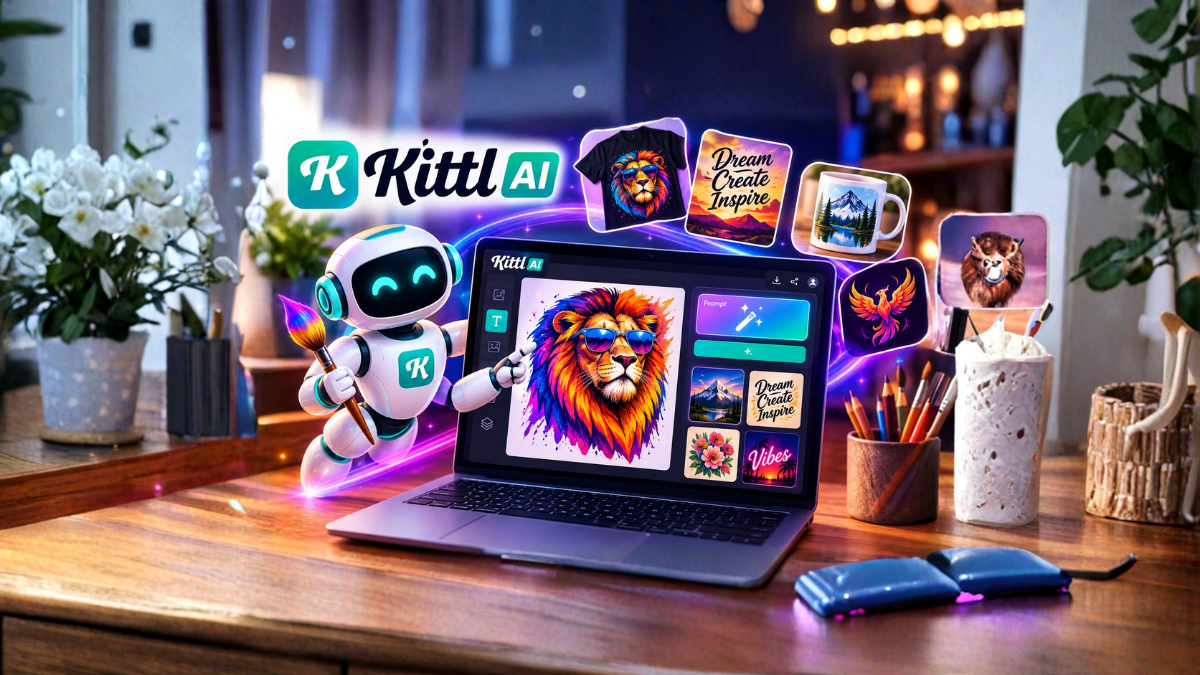
In today’s digital world, creating attractive visual content has become an important part of marketing, branding, social media, e-commerce, and content creation. However, not everyone has professional graphic design skills or the time to create every design from scratch. This is where AI-powered design tools can make a major difference.
The Kittl AI Design Generator is designed to help users transform simple ideas and text descriptions into creative visual designs. Instead of spending hours searching for design elements, choosing fonts, adjusting layouts, and creating graphics manually, users can use AI to generate design concepts and then customize them according to their needs.
Whether you are a business owner, content creator, marketer, print-on-demand seller, freelancer, or beginner, Kittl AI can help simplify the design process.
What Is Kittl AI Design Generator?
Kittl AI Design Generator is an AI-powered feature within Kittl that helps users create visual designs from text-based ideas. You can describe what you want to create, and the AI can help turn that description into a visual concept.
For example, you might enter an idea such as:
“Vintage coffee shop logo with a hand-drawn coffee cup and retro typography.”
Instead of manually creating every element, the AI can help you develop a design based on the description.
Kittl combines AI capabilities with a broader online design platform, allowing users to continue editing and customizing their generated designs. This makes it different from an AI image generator that only produces an image and stops there.
The goal is to make the creative process faster while still giving users control over the final design.
How Does Kittl AI Design Generator Work?
The basic process is relatively simple. You start with an idea and describe the design you want. The AI interprets your prompt and generates a visual result based on the description.
A typical workflow can look like this:
- Open Kittl and start a new design.
- Choose an AI-powered design or image generation feature.
- Enter a detailed description of your idea.
- Generate design variations.
- Select the result that best matches your concept.
- Customize fonts, colors, layouts, and other elements.
- Add your branding or additional design elements.
- Export the finished design in a suitable format.
This workflow can save considerable time, especially when you need to create multiple design concepts quickly.
Why Use Kittl AI for Design?
Traditional graphic design often requires experience with design software, typography, composition, color theory, and image editing. AI can reduce the technical barrier by helping users begin with a simple idea.
One of the biggest advantages of Kittl AI is that you do not necessarily need to start with a blank canvas.
You can begin with a concept and use AI to explore different possibilities. This is particularly useful when you know what you want to communicate but are not sure how the final design should look.
Kittl can also be useful for generating inspiration. Even if the first AI result is not perfect, it can give you a starting point that you can modify.
Create Designs From Simple Ideas
One of the most useful aspects of AI design generation is the ability to turn natural-language descriptions into visual concepts.
Suppose you want to create a T-shirt design for a travel enthusiast. You could describe an idea such as:
“Retro mountain adventure T-shirt design with a sunset, pine trees, hiking trail, and bold vintage lettering.”
The AI can use those details to create a design concept.
You can then experiment with different descriptions to explore alternative styles.
For example, you could change “retro” to “minimalist,” “bold” to “elegant,” or “sunset” to “night sky.”
This makes the creative process more experimental and flexible.
Kittl AI for Social Media Graphics
Social media creators need fresh visual content regularly. Creating every post manually can consume a lot of time.
Kittl can help users develop graphics for platforms such as Instagram, Facebook, Pinterest, YouTube, and other digital channels.
You can create concepts for:
- Social media posts
- Promotional graphics
- Quote graphics
- Event announcements
- Product promotions
- YouTube thumbnails
- Story graphics
- Brand announcements
The exact design requirements will depend on the platform, but AI can help speed up the initial creative process.
After generating a design, you can customize the layout and branding before publishing it.
Kittl AI for Logo Ideas
Creating a professional logo requires careful consideration of typography, shapes, colors, and brand identity. AI can be useful during the idea-generation stage.
For example, a small bakery might describe:
“Modern bakery logo featuring a simple wheat symbol, warm typography, and an elegant handcrafted style.”
The generated result can serve as a starting point for exploring visual directions.
However, businesses should carefully review AI-generated logos before using them as official trademarks. A logo should be distinctive, legally appropriate, and aligned with the brand identity.
AI is best viewed as a creative assistant rather than a replacement for thoughtful brand development.
Create T-Shirt and Print-on-Demand Designs
Print-on-demand businesses require a continuous supply of creative designs. Kittl is particularly useful for this type of work because users can create typography-based graphics, illustrations, promotional designs, and other printable concepts.
You can experiment with themes such as:
- Travel
- Sports
- Animals
- Hobbies
- Motivation
- Family
- Seasonal events
- Humor
- Nature
- Lifestyle
For example, a seller could create a design concept around “camping,” then generate several variations using different visual styles.
The ability to edit the generated design afterward is important because print-ready artwork often needs adjustments before production.
Kittl AI for Business Marketing
Businesses frequently need promotional graphics for products, services, campaigns, and special events.
AI can help marketers generate creative concepts quickly.
For example, a restaurant could create a promotional concept for a weekend offer, while an online store could develop graphics for a seasonal sale.
The generated design can then be customized with the company’s brand colors, logo, product information, and promotional message.
This can make it easier for small businesses to produce professional-looking content without hiring a designer for every simple graphic.
Kittl AI for Beginners
One of the biggest benefits of AI-assisted design is accessibility.
Beginners may find traditional design software difficult because there are many tools, settings, and technical concepts to learn. With AI, a beginner can start by describing an idea in ordinary language.
However, AI does not eliminate the need to understand basic design principles.
Learning about typography, spacing, contrast, alignment, colors, and visual hierarchy can help you improve AI-generated designs significantly.
The best results often come from combining AI generation with human editing.
How to Write Better Kittl AI Prompts
The quality of your prompt can influence the quality of the generated result.
Instead of writing a very short prompt such as:
“Coffee logo”
you can provide more useful information:
“Minimalist coffee shop logo with a simple coffee cup icon, elegant typography, clean lines, modern branding style, and a premium appearance.”
A useful prompt can include several elements:
1. Subject
Explain what the design should contain.
Example: “A mountain landscape.”
2. Style
Describe the visual style.
Example: “Vintage poster style.”
3. Colors
Mention preferred colors when important.
Example: “Earthy brown, cream, and dark green.”
4. Typography
If text is important, describe the typography style.
Example: “Bold retro lettering.”
5. Composition
Explain how you want elements arranged.
Example: “Centered composition with the mountain illustration above the text.”
The more clearly you communicate the concept, the easier it is to guide the AI toward your desired result.
Tips for Getting Better Results
Creating a good design may require multiple attempts. Do not expect the first generation to always be perfect.
Here are some useful tips:
Be Specific
Instead of using broad descriptions, provide relevant details about the subject, style, mood, and composition.
Experiment With Prompts
Try different versions of the same idea. Small changes can produce significantly different results.
Keep the Design Purpose in Mind
A design for a T-shirt may need a different approach from a social media advertisement or business logo.
Edit the Result
AI-generated designs should often be refined manually. Adjust typography, spacing, colors, images, and other elements to match your requirements.
Avoid Overcomplication
Adding too many elements to a single design can make it difficult to understand. A clear and focused concept is often more effective.
Kittl AI vs Traditional Design
Traditional graphic design gives designers complete control from the beginning. However, it can require considerable time and expertise.
AI-assisted design changes the starting point. Instead of building everything manually, users can generate ideas quickly and then refine them.
This makes AI particularly valuable for brainstorming and rapid experimentation.
However, AI should not always be considered a complete replacement for professional design. Complex branding projects, advanced illustrations, detailed marketing campaigns, and professional visual identities may still benefit from experienced designers.
The strongest workflow can be a combination of AI assistance and human creativity.
Advantages of Kittl AI Design Generator
There are several reasons users may want to include AI in their design workflow.
Faster Idea Generation
AI can help produce design concepts quickly, reducing the amount of time spent staring at a blank canvas.
Easy for Beginners
Users can begin with natural-language descriptions rather than needing advanced design knowledge.
Multiple Creative Directions
You can experiment with different styles and ideas without recreating every concept manually.
Customization
AI-generated concepts can be further edited and personalized within the design environment.
Useful for Different Projects
The tool can support various creative tasks, from social media graphics and merchandise designs to marketing materials and visual concepts.
Limitations to Consider
Although AI design tools are powerful, they are not perfect.
AI-generated results can sometimes contain unwanted elements, inconsistent details, unsuitable layouts, or designs that do not exactly match your instructions.
Text generation inside images can also require careful checking, especially when the design contains important words or branding.
Another important consideration is originality and usage rights. Before commercially using AI-generated content, users should review the current terms, licensing conditions, and applicable policies of the platform and any third-party assets involved.
For businesses, it is also important to ensure that the final design does not unintentionally copy another brand or protected artwork.
Who Should Use Kittl AI?
Kittl AI can be useful for a wide range of users.
Small Business Owners
Business owners can create promotional graphics and visual concepts without depending on a designer for every small project.
Social Media Creators
Creators can generate ideas for regular social media content.
Print-on-Demand Sellers
Merchandise sellers can experiment with different themes and visual styles.
Freelancers
Freelancers can use AI for brainstorming and developing early design concepts.
Bloggers and Content Creators
Bloggers can create supporting visuals for articles, social posts, and promotional campaigns.
Beginners
People with limited design experience can use AI as an entry point into graphic design.
Is Kittl AI Worth Using?
For people who regularly create visual content, Kittl AI can be a useful addition to a creative workflow.
Its biggest advantage is not simply generating an image. The real value comes from combining AI-assisted creation with editing and design tools.
If you frequently need social media graphics, merchandise designs, promotional materials, or creative concepts, AI can help reduce the time required to get from an idea to a finished design.
However, the final quality still depends on your prompt, design decisions, editing, and understanding of the project’s requirements.
Final Thoughts
Kittl AI Design Generator makes it easier to turn creative ideas into visual concepts without requiring users to create everything manually from the beginning.
Whether you want to design a T-shirt, explore a logo concept, create social media graphics, develop marketing material, or simply experiment with new creative ideas, AI can help accelerate the process.
The most effective approach is to treat AI as a creative assistant. Start with a clear idea, write a detailed prompt, generate several possibilities, choose the strongest concept, and then customize the result.
With the right combination of AI and human creativity, Kittl can make the design process faster, more accessible, and more enjoyable.
Frequently Asked Questions
1. What is Kittl AI Design Generator?
Kittl AI Design Generator is an AI-powered design feature that helps users create visual concepts from text-based descriptions and ideas.
2. Can beginners use Kittl AI?
Yes. Beginners can use AI-generated design tools without having advanced graphic design skills. Basic knowledge of colors, typography, spacing, and composition can help improve the final results.
3. Can Kittl AI create T-shirt designs?
Yes. Kittl can be useful for creating concepts for T-shirts and other merchandise. Users can generate ideas and then customize the design for their specific requirements.
4. Can Kittl AI create logos?
AI can help generate logo concepts and ideas. However, businesses should carefully review the final design for originality, trademark considerations, and suitability before using it as an official brand logo.
5. How do I get better results from Kittl AI?
Use detailed prompts that explain the subject, style, colors, typography, mood, and composition. Experiment with different prompts and refine the generated result.
6. Does Kittl AI replace professional graphic designers?
Not necessarily. AI can automate parts of the creative process, but professional designers remain valuable for complex branding, visual identity, advanced layouts, and projects requiring strategic creative decisions.
7. Can I edit AI-generated designs in Kittl?
Kittl is designed as a broader design platform, so users can continue customizing designs and adapting them to their creative requirements.
8. Can Kittl AI be used for social media designs?
Yes. AI-assisted design can help users develop concepts for social media posts, promotional graphics, advertisements, announcements, and other digital content.
9. Is Kittl AI useful for small businesses?
Yes. Small businesses can use AI-assisted design to create marketing concepts and promotional visuals more efficiently.
10. Can I use Kittl AI for print-on-demand?
Kittl can be useful for developing print-on-demand design concepts. Before selling a design, users should check the current platform licensing terms and make sure the final artwork complies with applicable commercial-use requirements.
11. Are AI-generated designs always perfect?
No. AI-generated designs can contain mistakes or unwanted elements. Reviewing and editing the output is recommended before publishing or selling it.
12. What makes a good Kittl AI prompt?
A good prompt clearly describes the subject, visual style, colors, mood, typography, and composition. Specific and purposeful descriptions generally provide better creative direction than very short prompts.
